Cheap Cables, Hot Cars and the 1% Panic: Seven Charging Habits Hull Phone Owners Should Bin
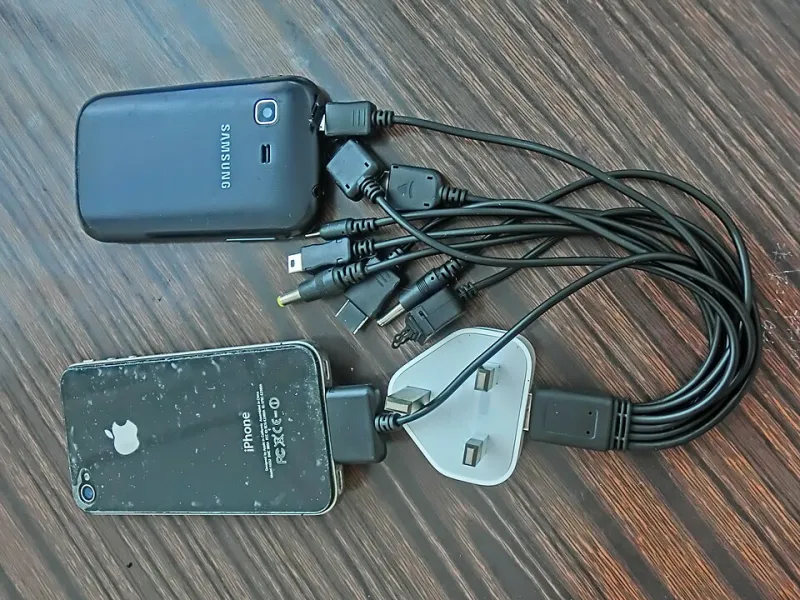
Photo: Huwanglaimtangms, CC BY-SA 3.0, via Wikimedia Commons
There is a particular kind of dread that comes from watching your phone drop from 20% to 4% while you are still on the 105 bus into town. And there is a particular kind of frustration that comes from doing everything the internet told you to do about it and finding the battery is no better a year later.
A lot of the charging advice still doing the rounds was written for nickel batteries that stopped being standard before most people had a smartphone. Modern handsets use lithium-ion cells, and they fail for fairly specific reasons: heat, high voltage stress, and being held at extremes for long stretches. Here are seven habits worth dropping, in roughly the order we see them doing damage.
1. The Overnight Hundred Percent
Leaving a phone plugged in from eleven at night until seven in the morning is not going to blow anything up — the charge circuitry handles that. But holding a lithium cell at 100% for eight hours, night after night, is a mild but real stress. It is the equivalent of keeping a car engine at the red line while parked.
You do not need to micromanage it. Most recent handsets have an optimised or adaptive charging setting that tops up to 80% overnight and finishes just before your alarm. Switch it on and forget it. If your phone does not have that, a cheap timer plug on the charger is a surprisingly effective workaround.
2. Cheap Cables From the Internet
A two-metre braided cable for £2.49 is a false economy, and not only because it will fray within a month. Poorly made cables can have undersized conductors that heat up, or missing resistors that let the phone draw more current than the cable can comfortably carry. The phone usually protects itself, but the cable and the port take the strain.
Look for a recognised USB-IF or equivalent certification mark and a brand you have actually heard of. It is a few pounds more and it saves both the cable and the charging port, which is a fiddly and annoying thing to replace.
3. Running It Flat Every Single Time
This is the most persistent myth of the lot. Draining to zero before charging was good practice for nickel-cadmium cells in the 1990s. For lithium-ion it is the opposite — deep discharges accelerate wear, and a phone that regularly shuts itself down at 0% will lose capacity faster than one that lives between 30% and 80%.
Partial top-ups are fine. Genuinely, completely fine. Plug in for twenty minutes at your desk, top up on the train, charge to 80% and stop. There is no memory effect to worry about.
4. Baking It on the Paragon Platform
Heat is the single biggest killer of phone batteries, and summer is when it does the most damage. A phone left on a sunny windowsill, on a car dashboard, or in a coat pocket next to a hot laptop will degrade noticeably faster than one kept at room temperature.
Charging generates heat of its own, so charging a phone that is already hot is the worst combination. If the handset feels warm to the touch, let it cool down before plugging in. And if you use a thick case, take it off for fast charging — it traps exactly the heat you are trying to get rid of.
5. Charging Under the Pillow
Plenty of people fall asleep with the phone under the pillow or tangled in the duvet, charging. It is a fire risk in the worst case and a heat problem in the everyday case, since there is nowhere for the warmth to go. If you need it within reach overnight, put it on the bedside table face down with the always-on display off.
6. Fast Charging Everything, Always
Fast charging is genuinely useful when you have fifteen minutes at Hull Interchange and a train to catch. It is less useful as a default at your own desk, where you have all afternoon. Higher current means more heat and more stress on the cell over time.
Most phones let you pick a slower charger for routine top-ups, and there is no harm in saving the fast one for when you actually need it. Similarly, wireless charging is convenient but generates more waste heat than a cable — it is a fine option, not a free upgrade.
7. Treating Battery Percentage as Gospel
That number on your screen is an estimate, not a measurement. It is calculated from voltage readings and a bit of guesswork, and it drifts as the cell ages. This is why your phone can sit on 1% for twenty minutes and then die at 8% the following week.
If you want the real figure, look at battery health in the settings — most phones show maximum capacity as a percentage of the original. Below about 80%, the drop-off in daily runtime is usually noticeable enough to be annoying. Do not panic at 89%.
When to Swap the Battery Instead of the Handset
Here is where a bit of perspective helps. A phone with a tired battery but an otherwise healthy screen, camera and body is a £40 to £90 repair in most cases, and it will typically give you another eighteen months to two years of normal use.
A new handset is several hundred pounds and comes with its own battery that will start ageing the moment you unbox it. If the rest of the phone still does what you need, the replacement battery is almost always the better value — and it keeps a working device out of the recycling stream for another couple of years, which matters more than most people give it credit for.
Replace the whole phone when the battery is only one of several problems. Cracked screen, tired battery, failing charging port and a camera that no longer focuses is not a repair, it is a list. At that point, trade it in or recycle it properly and move on.
None of this requires much effort. Turn on the optimised charging, buy a cable with a real certification mark, keep the thing out of direct sun, and stop worrying about topping up. Your battery will not last forever either way, but it will almost certainly outlast the contract.