Before the Parcel Leaves the Hallway: Returning Black Friday Gadgets Safely in Hull
Black Friday 2026 lands on 27 November, and the deals have already started leaking out. Most of what you buy will stay put. Some of it will be the wrong colour, the wrong size, a duplicate of something already in the cupboard, or a router that turns out to be a poor match for the brickwork in your Hull terrace. That is when the awkward week begins: the box is open, the packaging is in the bin, and the device is full of your accounts.
Returning tech is not difficult, but it is easy to make messy. The aim is simple: send back a device that looks cared for, carries none of your data, and arrives with enough proof that nobody can argue about whether it got there. Do that and the process is dull in the best way.
Work Out Which Return You Are In
First, separate an online order from a shop purchase. They are not the same beast.
If you bought online, the Consumer Contracts Regulations 2013 normally give you 14 days from delivery to cancel for any reason. You then have 14 days to send the item back, and the retailer should refund within 14 days of receiving it or of you showing proof of return. Standard delivery costs should come back too. Return postage is usually your cost unless the retailer says otherwise.
If you bought in a Hull shop, there is no automatic change-of-mind right. What you get is whatever the retailer's returns policy says. Ask at the counter before you pay, especially on a big-ticket laptop or tablet. Keep the receipt and the policy leaflet if there is one.
If the item is faulty, a different set of rules applies under the Consumer Rights Act 2015. The 30-day short-term right to reject is the one most people use. A faulty return should not attract a restocking fee.
The Data Wipe Comes First
Do not put a device in a returns bag while it is still signed in to your life. Start with a backup if you might need the files. Then sign out properly.
On a phone or tablet, sign out of Apple, Google and Samsung accounts as relevant. Turn off Find My iPhone or Find My Device. Remove any eSIM plan you added. Take out the SIM tray and any microSD card. Then factory reset the device.
On a Windows laptop, back up your files, sign out of Microsoft and any work accounts, and remove the device from your account list online. If BitLocker is on, deal with it before you reset. Then use the built-in reset option and choose to remove everything. On a Mac, sign out of iCloud, sign out of the App Store, and erase the machine.
A router needs its own small ceremony. Factory reset it, remove it from the manufacturer's app or cloud account, and clear any saved admin password you set. If it is an ISP router going back, follow the provider's instructions rather than guessing.
Photograph the Boring Bits
Before the parcel is taped, take photos. Not arty ones. Useful ones.
Photograph the device screen showing the IMEI or serial number if you can, plus the label on the box. Photograph all four sides and the screen. Photograph the accessories, the cables and the packaging you are including. If you are posting it, photograph the sealed parcel with the label visible. Keep the tracking number in a note on your phone and email it to yourself.
This is not paranoia. It is the difference between a straightforward refund and a fortnight of emails about a scratch that was already there.
Restocking Fees and the Diminished Value Question
A flat restocking fee on an online cancellation is not the default position under the 14-day rule. A retailer can deduct for diminished value if you handled the item beyond what is necessary to check it, but it should be able to explain that deduction. If you see a vague admin charge on an online return, ask for the breakdown in writing.
In-store returns are different. The shop's policy applies, so a restocking fee can exist if it was made clear before you bought. Check the small print before you hand over the card.
Either way, keep the original packaging where possible. A missing box can affect what a retailer offers, even if the law does not demand perfection.
Hull Drop-Off and Collection Without the Trek
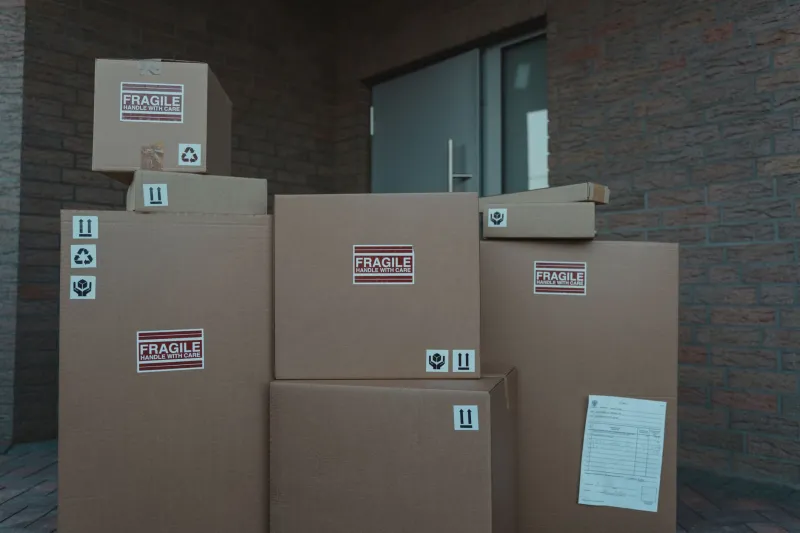
If you are posting the item back, use a tracked service and get proof of postage. A photo of the counter receipt is good. A tracking number is better. Keep both until the refund lands.
There are Post Office counters across Hull, from the city centre out to Kingswood and Anlaby, plus parcel lockers at various supermarkets and petrol stations. Retailers also offer collection through couriers such as Evri, DPD and Royal Mail. For a bulky router or laptop bundle, a home collection can save a bus trip and a queue.
Book the return before the Christmas post gets silly. Late November and early December are busy enough without adding a missing-parcel investigation to the list.
The Router Has Its Own Rules
ISP routers are the most commonly forgotten return. If your provider sent you a pre-paid bag or box, use it. Reset the router, wipe your Wi-Fi name and password changes, and keep the proof of return. Some providers charge for unreturned equipment, and the charge often appears weeks later when you have forgotten all about it.
If you bought your own router and simply do not get on with it, treat it like any other online purchase: check the return window, reset it, and send it back tracked.
A Last Look Before the Parcel Leaves the Hallway
Run through this list: accounts signed out, activation locks off, SIM and memory cards removed, factory reset done, accessories checked, photos taken, tracking number saved, return deadline noted. Then tape the box.
A calm return is not about being lucky. It is about doing the boring bits before the parcel leaves the hallway. That way, the only thing heading back to the retailer is the gadget, not your data and your peace of mind.