Red Light at the Till: A Hull Shopkeeper's 10-Minute Card Machine Rescue Plan
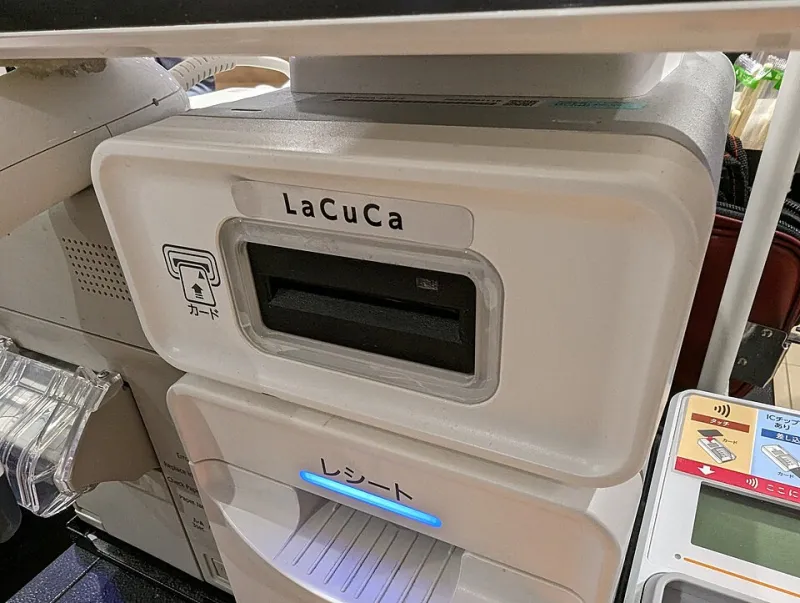
Photo: Syced, CC0, via Wikimedia Commons
It happens at the worst possible moment. The shop is busy, the queue is out of the door, and the card reader that worked fine ten minutes ago has decided to show a red light and a message nobody recognises. On a Saturday in Hull, with Christmas shoppers in town and a delivery due, that is not just an IT problem. It is a trading problem.
The good news is that most till outages are boring. A plug is loose, a router has sulked, a tablet has run out of storage, or the terminal has lost its connection. The bad news is that panic makes all of those things worse. Here is a simple ten-minute plan for getting the shop moving again.
Minute 0-1: Stop the panic, not the queue
Say it out loud, clearly, so the queue can hear: 'The card machine is playing up; we are sorting it and we will get you sorted.' Do not blame the internet, the bank or the weather. Just own the moment.
Then check the last transaction. Did it actually go through? Do not let a customer tap again until you know. A double charge is a much bigger job than a slow queue. If the till has a receipt or a pending message, read it before you touch anything.
Minute 1-3: Triage the three likely culprits
Look at power, network and terminal, in that order. Is the terminal charging? Is the power light on? Is the Ethernet cable clicked in, or is the Wi-Fi icon showing a connection? If the terminal runs on a SIM, has it got signal?
Then ask the key question: is it one terminal or all of them? If every card machine and the till tablet are down, suspect the router, the power or the shop's connection. If it is just one terminal, suspect that terminal. If the till tablet is frozen but the card machine is fine, you have a point-of-sale problem, not a payment problem.
Do not factory reset anything. Do not start unplugging random cables. Do not install an update in the middle of a rush unless the screen is telling you it cannot trade without one.
Minute 3-5: Restart in a sensible order
If the router is involved, restart it first and wait for the lights to settle. Then restart the card terminal. Then restart the till tablet or POS app. Give each one a couple of minutes before you decide it has failed. A terminal that says it is updating is not broken; it is just busy.
If the terminal has a battery, check it is not flat. If it has a paper roll, check it is not jammed. If it shows the wrong date or time, that can upset card processing, so correct it if the menu allows. If the screen is frozen, use the proper restart option rather than holding every button at once.
Minute 5-7: Switch to the backup you actually have
This is where preparation pays off. A second card terminal, a mobile tap-to-pay option through your bank, or a cash float can keep the queue moving. Offline mode on a card terminal can help, but only if your provider has enabled it and you understand the risk. Do not guess your way through it.
Start a downtime log. Note the time, the amount, the receipt number and the staff initials. Do not write down full card numbers. Do not key card details into a notebook. If a customer needs a receipt later, take an email address or a phone number with their permission, and keep it somewhere sensible.
Minute 7-10: Keep the queue human
Put a simple sign on the counter if you have one: card machine issue, cash and alternate payment available, thanks for waiting. Offer to hold items behind the till. Take a name and number for a collection later if someone does not want to wait. A calm explanation buys more goodwill than a silent queue and a lot of button-pressing.
Keep one person on the tech and one person on the customers if you can. The person staring at the router should not also be answering six questions about returns. Divide the jobs and the ten minutes will feel much shorter.
The downtime kit every Hull shop should have
A charged spare terminal. A power bank that actually holds charge. Spare till rolls. A SIM router or a phone hotspot as a fallback. A small cash float. The provider's support number written down, not saved only in an email. A one-page staff cheat sheet. And a paper log for transactions that happen while the system is down.
Test the kit once a month. Christmas 2026 is not the time to discover that the spare terminal has been dead since the summer or that nobody knows the Wi-Fi password. A five-minute check on a quiet Tuesday is cheaper than a lost Saturday.
After the rush: reconcile, do not guess
When the shop is quiet again, match the downtime log against the terminal and the till. Check for duplicate charges. Refund anything that needs refunding. Call the provider if the terminal is still unreliable. Write down what happened, when it happened and what fixed it. If it happens at the same time every week, that is a pattern, not bad luck.
If the terminal is old and the fault keeps coming back, book a repair or replacement before the next busy weekend. If the till tablet is overheating or shutting down at low battery, deal with it now. A tablet that dies at twenty per cent is not a till; it is a paperweight with a card reader attached.
Most importantly, do not wait for the red light. Check the plugs, the cables, the backup terminal and the support numbers this week, while the shop is still calm.