Over the Back Fence: A Hull Terrace Guide to the Wi-Fi Names Around You
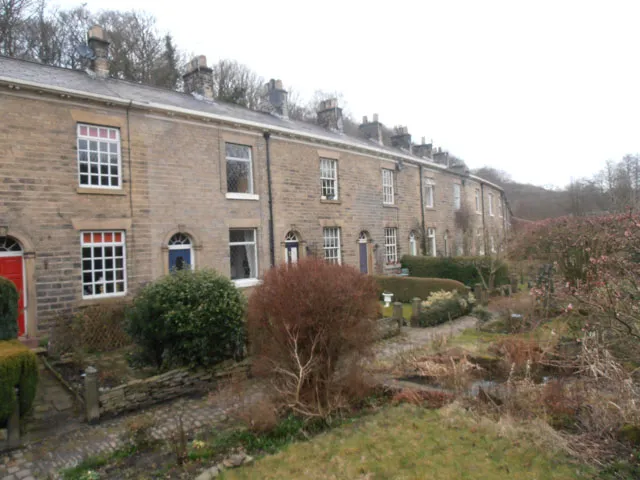
Photo: Row17 , CC BY-SA 2.0, via Wikimedia Commons
At about eight on a weekday evening, half of Hull seems to sit down, open a laptop and ask the internet to behave. That is when the video call starts to freeze, the iPlayer spins, and your phone shows a Wi-Fi list long enough to fill a bus timetable. In a terrace, that list is not just a list. It is a rough map of the airwaves around you.
You do not need to be a network engineer to read it. You just need to know what you are looking at, and what you can safely ignore.
The street is chatty, even when the router is not
Walk down a street of Victorian terraces, or a row of flats off Beverley Road, and you are walking through a cloud of routers. Shared walls, shared entries and fairly compact houses mean everyone's signal leaks into everyone else's kitchen. That is normal. It is also why your phone can see twenty or thirty network names before you have even put the kettle on.
Some are default names straight out of the box: Plusnet-2F, VM1234567, KCOM- something, TP-Link_4A7C. Some are cheerful nonsense: TellMyWifiLoveHer, PrettyFlyForAWiFi, GetYourOwnInternet. And some are the sort of name that makes you pause: FreeWifi_Hull, FREE_PUBLIC_WIFI, or a network named after a flat number with no password at all.
The names themselves are not a security report. They are a starting point. What matters is how many networks are crowded together, which channels they are using, and whether you are treating your own router like a piece of furniture rather than a piece of tech.
What a crowded list is actually telling you
Most home routers still run a 2.4GHz network, and that band is the busy high street of Wi-Fi. It has only three channels that do not overlap properly: 1, 6 and 11. If your router is sitting on channel 6 and so are eight of your neighbours, everyone is trying to talk over everyone else. It is like a packed pub where every table is having a different conversation at the same volume.
A quick scan of the networks around you can show that pattern. On Android, a free Wi-Fi analyser app will show the channel each network is using. On iPhone it is a bit more limited, but your router's admin page will usually show nearby networks and let you pick a channel. Do not just pick the emptiest channel at three in the afternoon. Check again at eight in the evening, when the street is actually online.
The 5GHz band is usually less crowded and faster over short distances, but it does not push through thick walls as well. If your router offers both, give them different names so you can choose the one that works in the room you are in. A lot of modern routers try to do this automatically, and a lot of them do it badly.
The names that deserve a second look
That open network called FreeWifi_Hull might be a neighbour being generous. It might also be a trap. An open network with a friendly name is easy to copy, and a fake hotspot can sit there waiting for someone to connect and type in a password. If you would not shout your bank details across the back yard, do not put them through a random open Wi-Fi network.
Cheeky network names are harmless. A default router name is not a disaster either, though it does tell people what make of router you have and that you have probably never logged into it. Names that include your flat number, surname or phone number are a slightly different matter: they are not a password, but they are free information. Change them.
Also, hiding your network name is not the security upgrade people think it is. It makes your network less visible, not invisible, and it can make your own devices harder to connect. A decent password and WPA2 or WPA3 security will do far more good.
Choosing a cleaner channel without becoming a network engineer
Log into your router. The address is usually on a sticker on the back, often something like 192.168.0.1 or 192.168.1.1. Change the admin password first, because the default one is often the same on every router of that model.
For the 2.4GHz band, set the channel width to 20MHz and pick 1, 6 or 11 rather than leaving it on auto if auto keeps landing you in a crowd. For 5GHz, auto is often fine, but a higher channel can help if the lower ones are busy. Then reboot the router and leave it alone for a day. Do not start rebooting it every hour; that fixes very little and annoys everyone in the house.
Router position matters more than most people think. Get it off the floor, out of a cupboard, away from the microwave, the fish tank and any foil-backed insulation. Central and high is usually better than tucked behind the telly in the front room. If your house has thick walls and a long corridor, a mesh system or a wired access point will beat any amount of channel fiddling.
A 20-minute Sunday reset for a Hull terrace
Make a note of how many networks you can see and which channels they are on. Log into your router and install any firmware update it has been nagging you about. Change the network name and password if they are still default. Set up a guest network for visitors and smart plugs if your router supports it. Reboot once. Then test a video call at the time you actually use one.
If the call still stutters while the rest of the street seems fine, the problem is more likely your router, your line or your device than the neighbours' network names. If the whole street goes quiet at once, it is probably the provider. Either way, reading the airwaves around you is a cheap first step before you spend money on new kit.
A router is not silent. It is just speaking in a language most of us never bother to learn.