Pressed Wrong: The Smart Doorbell Guide for Hull Terraces, Shared Entries and Watchful Neighbours

Photo: Niccolò Caranti, CC BY-SA 4.0, via Wikimedia Commons
A doorbell used to be a simple thing. Someone pressed it, a chime went off, and you decided whether to answer in your slippers or pretend you were out. Now the humble bell has a camera, an app, a cloud subscription and an opinion about whether the person at the door is a delivery driver or a potential intruder.
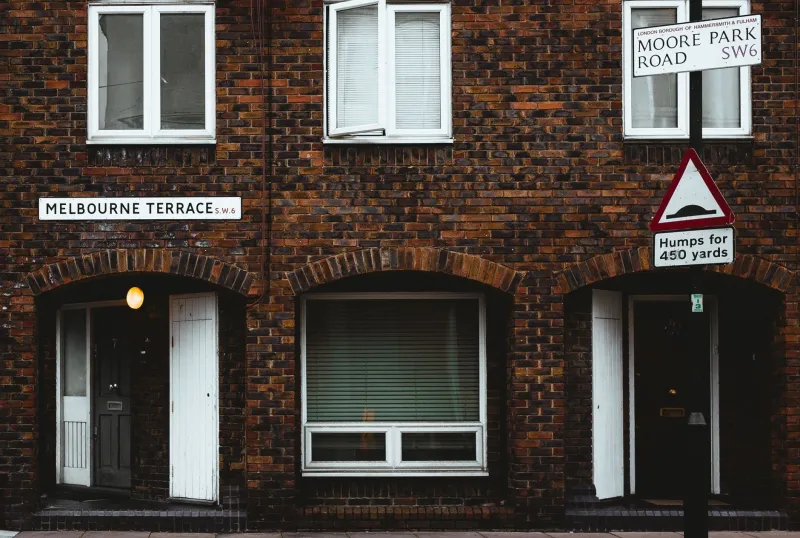
In Hull, that upgrade runs into some very local realities: Victorian terraces with thick front walls, shared entries off the pavement, tenfoots at the back, narrow gaps between doors, and neighbours who are close enough to notice everything. A smart doorbell can be a sensible bit of kit. It can also become the street's unofficial CCTV system if you point it carelessly and leave the settings on default.
This is not a guide to buying the fanciest bell on the shelf. It is a guide to buying one that works at your door, in your building, without making life awkward for the people next door.
Start at the doorway, not the product page
Before you start comparing megapixels, stand at your front door and look around. Where would the bell actually go? Is there a porch, a recess, a shared entry, a metal door, a brick wall, pebbledash, or a landlord's freshly painted frame you are not allowed to touch?
Measure the gap beside the door. Check whether a bell would block the letterbox, catch the knocker, or sit where a wheelchair user or delivery driver naturally reaches. If you rent, ask before drilling. If you live in a shared building, check the lease or management rules — and if it is a council property, check with the council first. A no-drill bracket is not a magic loophole if the door itself is not yours to alter.
This sounds boring, but most bad doorbell installations in Hull are not caused by bad cameras. They are caused by buying first and discovering the awkward bit later.
Wi-Fi at the front door is not the same as Wi-Fi in the front room
A doorbell camera sits at the edge of your home, often on the coldest, thickest, most signal-hostile wall in the house. The fact that Netflix works in the back bedroom tells you almost nothing about whether a doorbell will hold a stable connection by the front door.
Test it properly. Stand at the door with your phone, connect to your normal Wi-Fi and run a speed test. Better still, look at the signal strength in your router app. If it is weak, a mesh node near the front of the house can help, but placement matters. Putting a booster in the hallway cupboard behind a pile of coats is not a plan.
Most doorbells prefer the 2.4GHz band because it travels further through walls, even though it is slower than 5GHz. If your router splits the two bands, make sure the doorbell is joining the right one. Also check that your chime or hub is within range of the bell — a doorbell that rings in the app but not in the hallway is only half a doorbell.
If the signal is genuinely poor, a wired doorbell with a local recorder may be more reliable than a battery model that drops offline every time the weather turns. But wired means checking your existing transformer and doorbell wiring. Do not assume the old chime wiring will happily power a modern video doorbell. Sometimes it will; sometimes it will not.
Aim the camera at your threshold, not the whole street
This is the part that matters most for neighbourly relations. A doorbell camera should answer one question: who is at my door? It should not double as a surveillance system for next door's comings and goings, the pavement, or the shared passage.
Mount it at a sensible height and angle it down towards your own threshold. Use the privacy zones or activity zones in the app. Most decent doorbells let you mask off areas you do not want recorded or alerted on. Do that before you start getting notifications every time a cat walks past.
Think about audio too. A doorbell with a microphone can pick up conversations in a shared entry or on the pavement. Keep two-way talk for actual doorstep conversations, and do not leave audio recording running just because the option exists. If you live in a shared building, a discreet word with the neighbours is better than a note through the door after they have already spotted the camera.
For a normal household, domestic use of a doorbell camera often falls within the household exemption under UK data protection law. But that exemption is not a licence to point a lens at a neighbour's door and leave it there. Shared entries, communal gardens and anything that looks like a small business installation need more care. If you are unsure, the Information Commissioner's Office has plain-English guidance, and a landlord or managing agent may have their own rules.
Shared entries, tenfoots and rented doors
Hull has plenty of homes where the front door opens into a shared entry or straight onto the pavement. That changes the calculation. You might not be able to drill into the communal door. You might not have a power socket nearby. You might find that every neighbour's arrival sets off your phone.
In that situation, a battery-powered bell with a reversible mount is often the least invasive option — but only if the building rules allow it. Do not wire anything into a communal electricity supply. Do not mount a camera so it covers the whole shared lobby. If the entry is used by several households, the decent thing is to agree the position together, or choose a simpler bell that does not record at all.
Tenfoots and back entries bring a similar issue. A camera covering your own gate is one thing. A camera covering the alley, the bins and three neighbours' back doors is another. If you want to monitor a back gate, keep the frame tight and the alerts sensible.
Subscriptions: the cost that keeps on ringing
Smart doorbells are often sold on the hardware price, but the ongoing cost is the subscription. Cloud storage plans vary, but many sit somewhere between a few pounds and around eight pounds a month depending on the brand and how much history you want. Over three years, that can easily cost more than the doorbell itself.
Before you buy, check what works without a plan. Some doorbells will still ring and show live video, but will not save clips. Others lock person detection, rich notifications or longer history behind a subscription. Local storage via an SD card or home hub can be cheaper, but the card or hub needs to be somewhere secure. A doorbell with a card slot inside the unit is not much use if someone walks off with the unit.
Budget for the subscription if you actually need recorded clips. If you only want to see who is there and speak to them, a simpler model may do the job without a monthly bill.
Weather, bricks and battery life
Hull weather is not dramatic, but it is persistent. Rain, damp and cold all take a toll on anything mounted outside. Look for a decent IP rating, seal any cable entry properly, and create a drip loop so water runs away from the connection rather than into it.
Battery life claims are usually measured in mild conditions. Cold mornings and frequent alerts will shorten it. If the doorbell is in a busy spot, expect to charge it more often than the box suggests. Wired models avoid that hassle, but only if the wiring and transformer are suitable.
Also think about the fabric of the building. Victorian brick is not always straight, pebbledash is not always flat, and a heavy doorbell on a weak frame can work loose. Use the right fixings, and if you are not confident, get someone who is.
When a cheap doorbell is more trouble than it is worth
A very cheap video doorbell can look like a bargain until you live with it. Common problems include laggy live view, false alerts from passing cars, poor night vision, an app that gets abandoned by the manufacturer, and no proper support when the thing stops connecting. Some generic models also have weak account security or unclear data handling.
If all you want is to hear the door from the kitchen, a basic wireless chime is cheaper and less fuss. If you want to see parcels, a camera above the door or a peephole camera may suit your layout better. A smart doorbell makes most sense when you have a clear view of your own threshold, decent Wi-Fi and a realistic idea of the running costs.
A quick buying checklist
- Test Wi-Fi at the front door before buying.
- Decide whether battery or wired suits your wiring and your building.
- Check permissions for rented homes, shared entries and communal doors.
- Choose a model with privacy zones and sensible activity alerts.
- Budget for the subscription, or confirm what works without one.
- Mount it so it sees your doorstep, not next door's.
- Use a strong password and two-factor authentication.
- Tell the neighbours before they notice the camera.
The best smart doorbell in Hull is not the one with the biggest sensor or the longest feature list. It is the one that connects reliably, survives the weather, and does its job without turning your front step into a neighbourhood observation post.